 FaxStore
App Updates
FaxStore checks the App Store for new versions of the apps you've installed. You can update an app from the staff panel with one click, or let FaxStore update your apps overnight.
Table of Contents
Seeing Which Apps Have Updates
Open Staff Panel → Explore Apps. The Update count at the top of the page shows how many of your apps have a new version, and apps you've installed show a badge:
Installed: the app is installed and up to date.
Update: the App Store has a newer version.
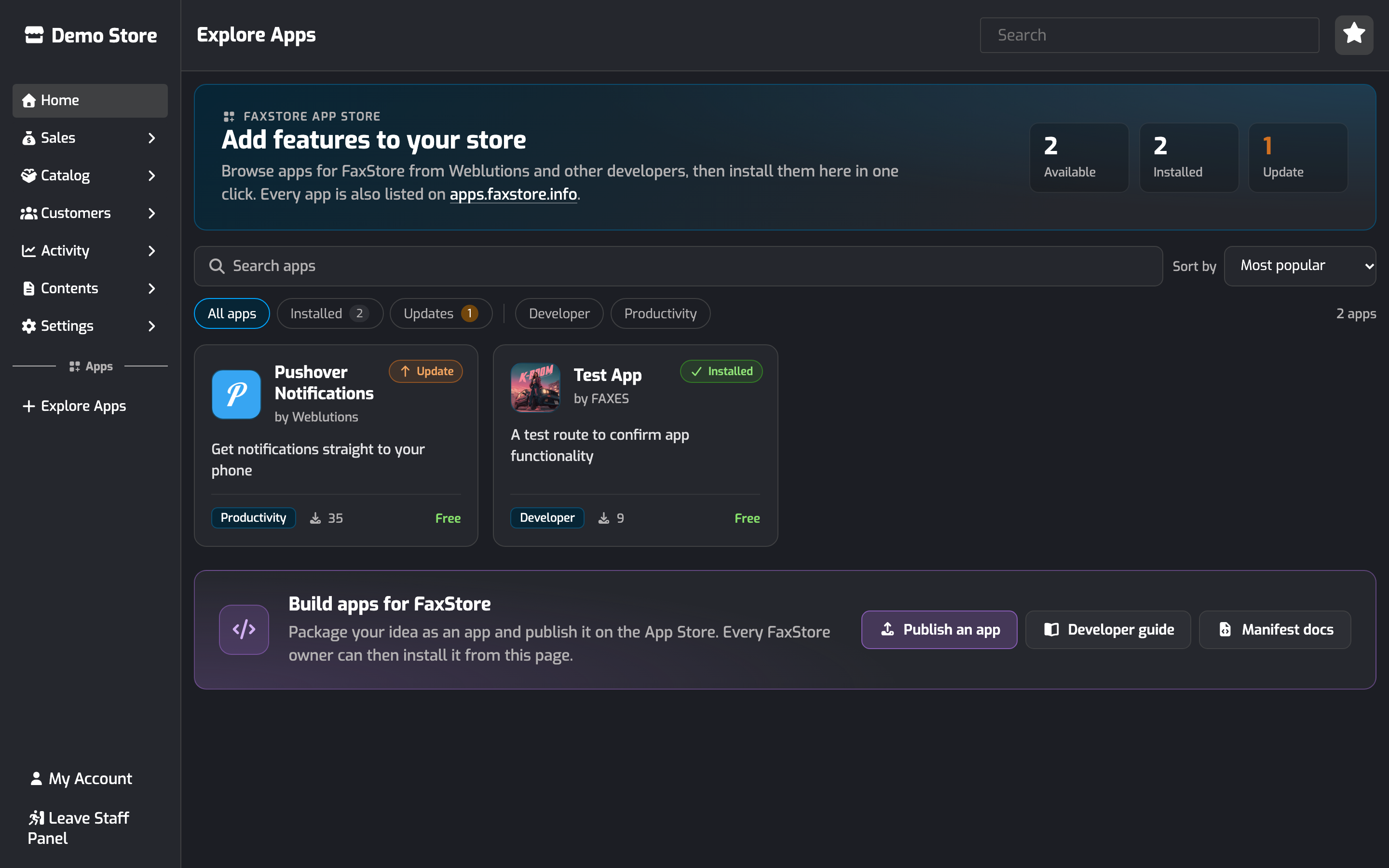
Click Updates above the apps to show only the apps with a new version.
FaxStore also checks when it starts. About a minute after starting, the console lists any apps with a new version:
[APPS]: Pushover Notifications 1.0.0 - New version available (1.1.0)Updating an App
Open Staff Panel → Explore Apps and click the app.
The app shows Update available, and a notice says which version you have and which version is available, for example "You have version 0.9.0. Version 1.0.0 is available."
Click Update to v…. The button shows Updating… until it finishes. Stay on the page until you're taken back to Explore Apps.
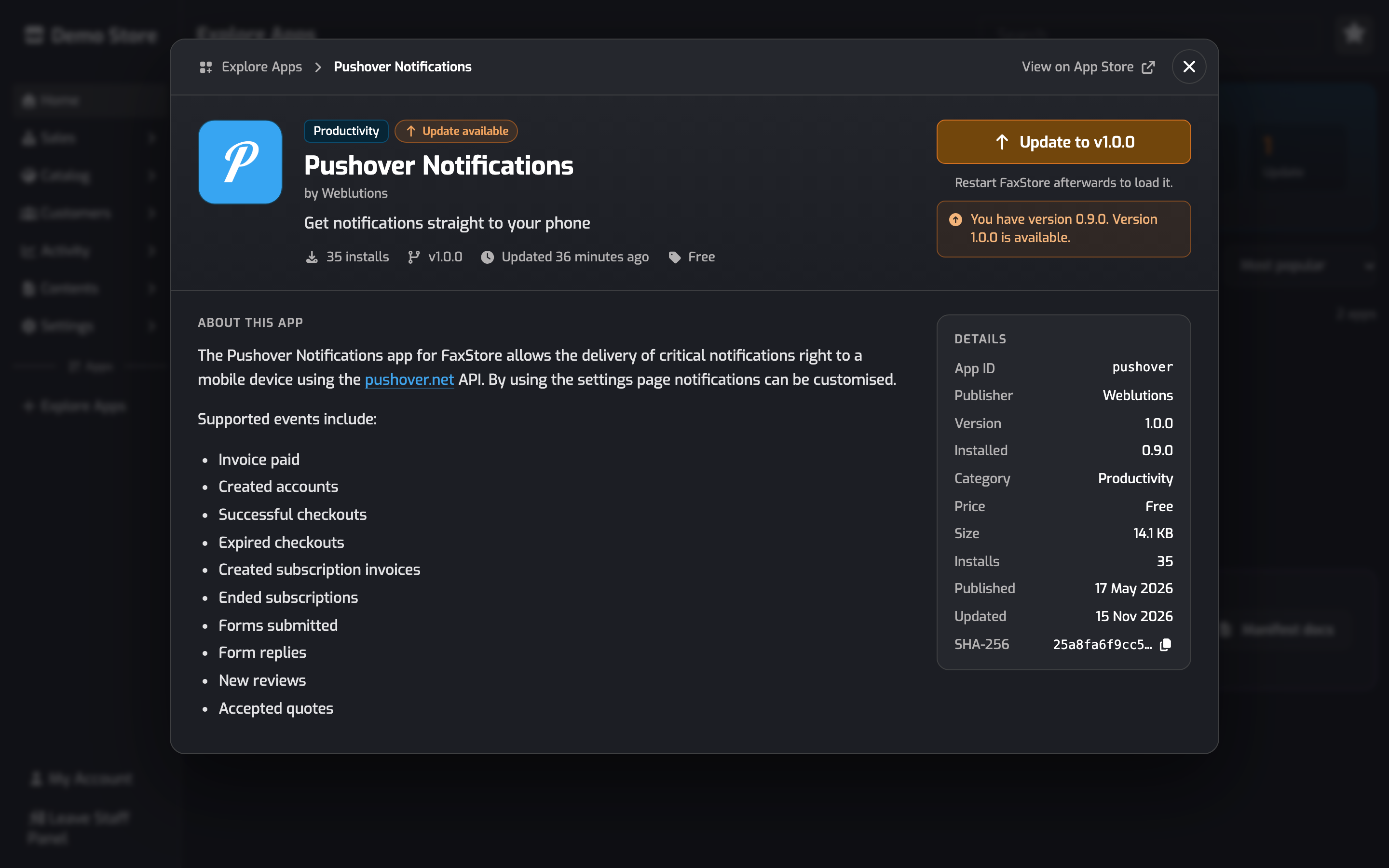
FaxStore downloads the new version and replaces the app's files. On Linux servers FaxStore restarts straight away to load the update. On other systems, restart FaxStore yourself to finish updating. The note under the update button says which applies to your server.
Only the files that come with the app are replaced.
If the app includes a theme, updating it doesn't change the theme your store is using.
Every download is checked against the App Store before anything is written. If a download is cut off or doesn't match, nothing is changed and you can try again.
Apps that are already up to date show Reinstall, which downloads and installs the current version again.
Only one app can install or update at a time.
Each install and update is recorded in your audit log.
Automatic Updates
Apps use the same Auto Updates setting as FaxStore. To turn it on or off, go to Staff Panel → Settings → Controller and click the Auto Updates tile.
With Auto Updates on:
FaxStore updates itself at midnight, and your apps at 12:30am, server time.
Each owner gets a staff panel notification listing the apps that were updated.
On Linux servers FaxStore restarts after updating apps. On other systems the notification asks you to restart FaxStore.
Which Apps Get Updates
Apps installed from the App Store get update checks, including apps you installed before update checks were added, as long as the app tells FaxStore its version. Apps added to your apps folder by hand don't get update checks unless they're also published on the App Store.
If an app never shows Update available after a new version is released, ask the app's developer to check that the app registers with its App Store slug and the version it publishes. See App Manifest & Packaging.