FaxStore
SMTP Integration
The SMTP Integration allows FaxStore to send emails through a mail server or a third-party email provider. This provides full control over how FaxStore delivers transactional emails such as:
Purchase confirmations
Account notifications
Password resets
System alerts
Marketing content
FaxStore supports any SMTP-compatible mail server, including self-hosted mail servers or third-party providers. However, the provider must follow the generalised standard and not use a custom SMTP flow.
If the SendGrid integration is configured that will be used over SMTP for email delivery as SendGrid is the more supported method.
Either SendGrid or SMTP must be configured for standard account logins and system emails to function correctly.
SMTP2GO Setup Example
SMTP2GO is a commonly used SMTP provider and offers a free plan that allows up to 1,000 emails per month without requiring a credit card. The service provides SMTP credentials that can be entered directly into the FaxStore integrations page.
The following steps outline how to configure SMTP2GO for use with FaxStore.
Create an account or login to SMTP2GO and navigate to the dashboard
Website - https://www.smtp2go.comBefore sending emails, SMTP2GO requires you to verify a sender.
Either verify a single email address, or;
Verify an entire domain
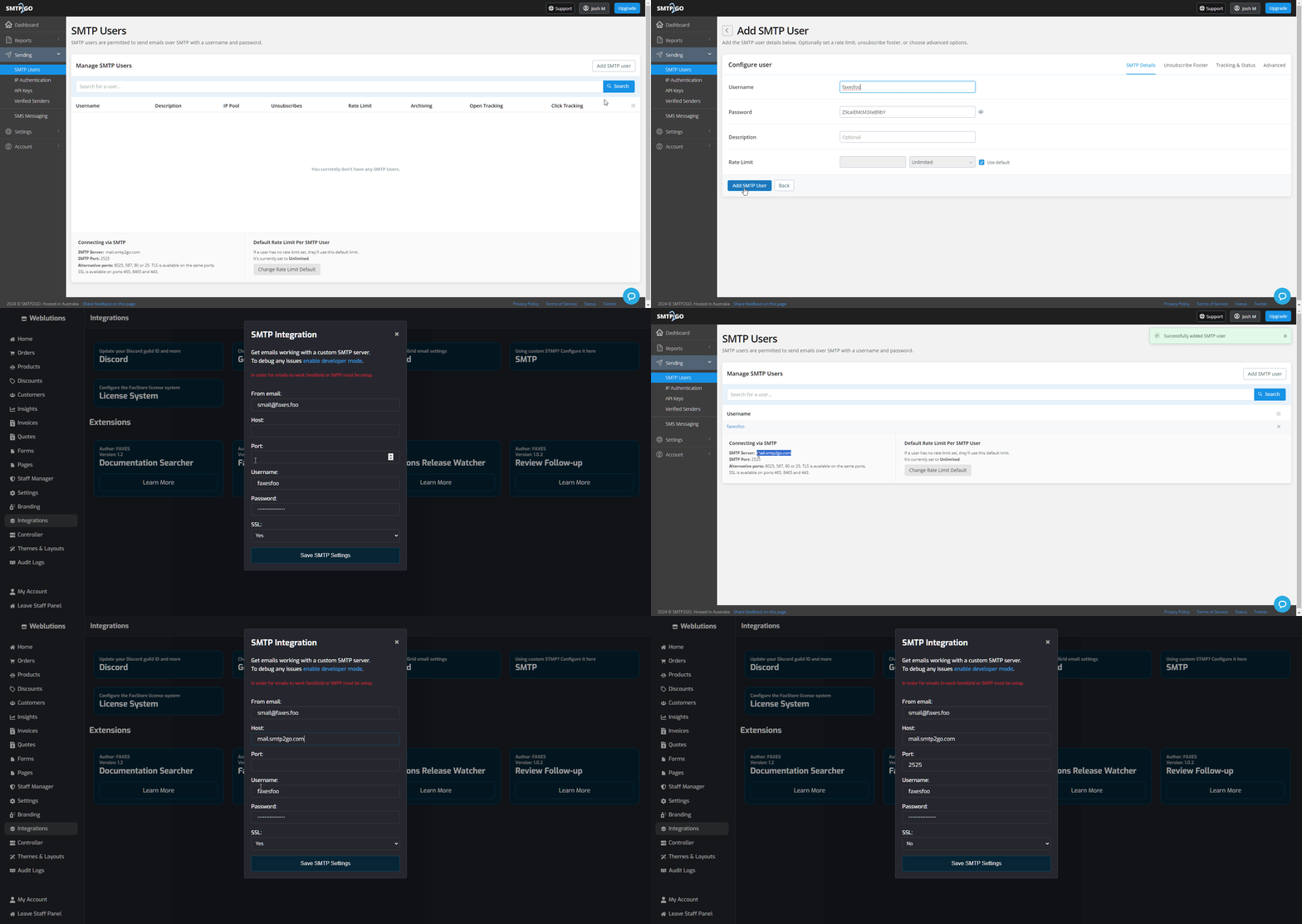
Once a sender is verified create an SMTP user
Navigate to the SMTP Users section in the SMTP2GO dashboard
Create a new SMTP user
Record the username and password that are generated
Obtain the below SMTP details from the user
SMTP Host
SMTP Port
Username
Password
Configure Within FaxStore
Navigate to the SMTP Integration page inside the FaxStore Staff Panel and enter the SMTP credentials provided by SMTP2GO.
Once the settings have been added to FaxStore, restart FaxStore from the Controller page