 FaxStore
Quotes
Quotes allow staff to suggest a price to a customer and keep a record of the customer agreeing to that suggested price. This is useful for custom work, service-based pricing, special requests, or any situation where a fixed price should be confirmed before moving forward.
Once a quote has been created, FaxStore generates a unique quote URL that can be sent directly to the customer. The customer can review the quote details and agree to the suggested price.
Table of Contents
Creating a Quote
Quotes are created from the FaxStore staff panel.
Open the Staff Panel.
Navigate to the Quotes tab.
Click Create Quote
The quote creation screen will display input fields.
Quote Fields
When creating a quote, the following fields are available:
Title
The title is the main name of the quote. This is the first thing the customer will see when opening the quote.
A clear title helps the customer quickly understand what the quote is for.
Example titles:
Custom Website Setup
FiveM Server Configuration
Plugin Installation Service
Monthly Support Package
Price
The price field is where the suggested price is entered.
This should be the amount that the customer is being asked to agree to.
Description
The description field can be used to explain what the quote includes and why the suggested price has been provided.
This field is optional, but it is recommended when the quote is for custom work or when more context may help the customer understand the pricing.
Example descriptions:
This quote covers the setup and configuration of the requested store features.
This quote includes installation, configuration, and basic testing of the requested product.
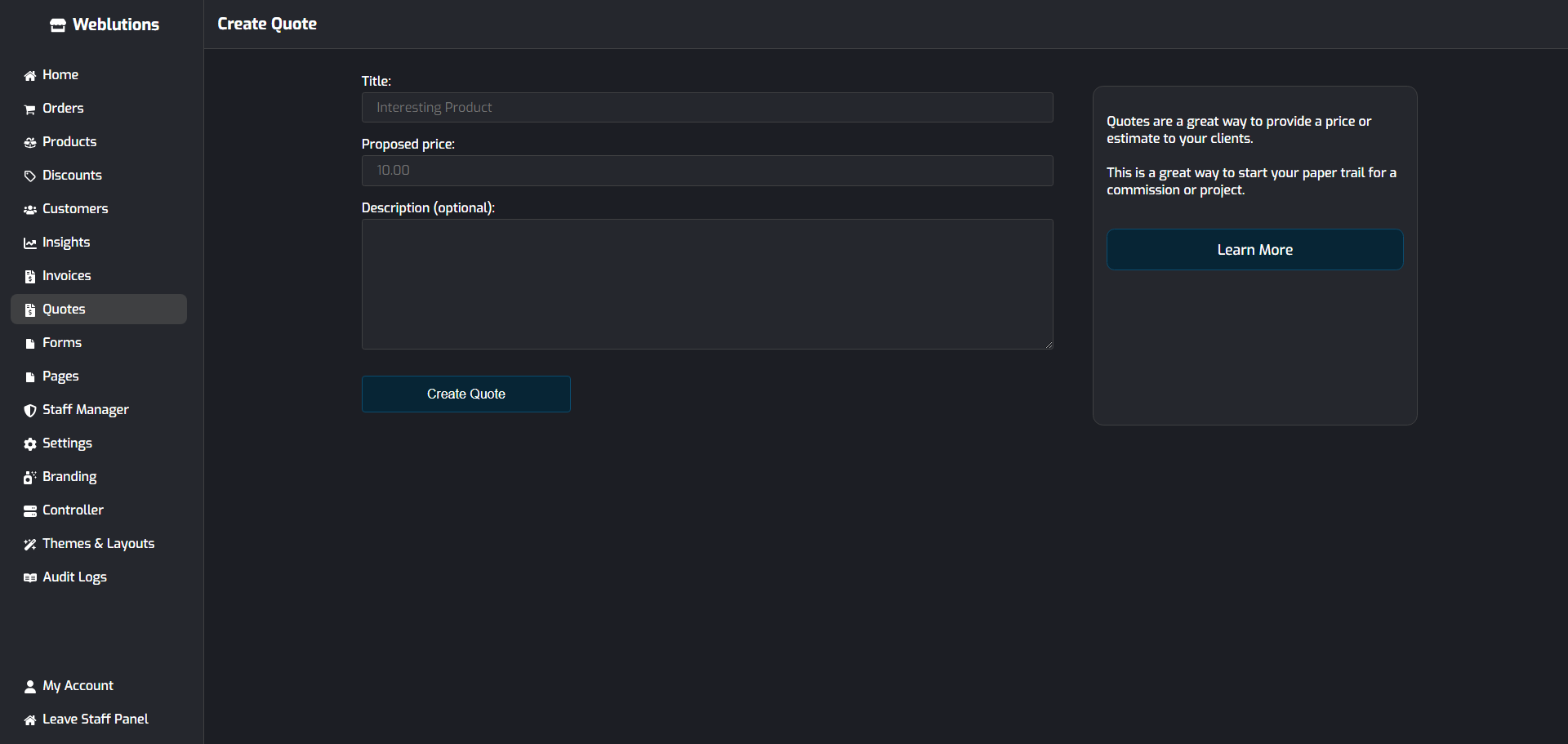
Finalising the Quote
After the quote fields have been filled in, click Create Quote.
Once the quote is created, FaxStore will redirect to the unique URL assigned to that quote. This URL can then be copied and sent directly to the customer.
The customer can open the link, review the quote, and agree to the suggested price.
Managing Quotes
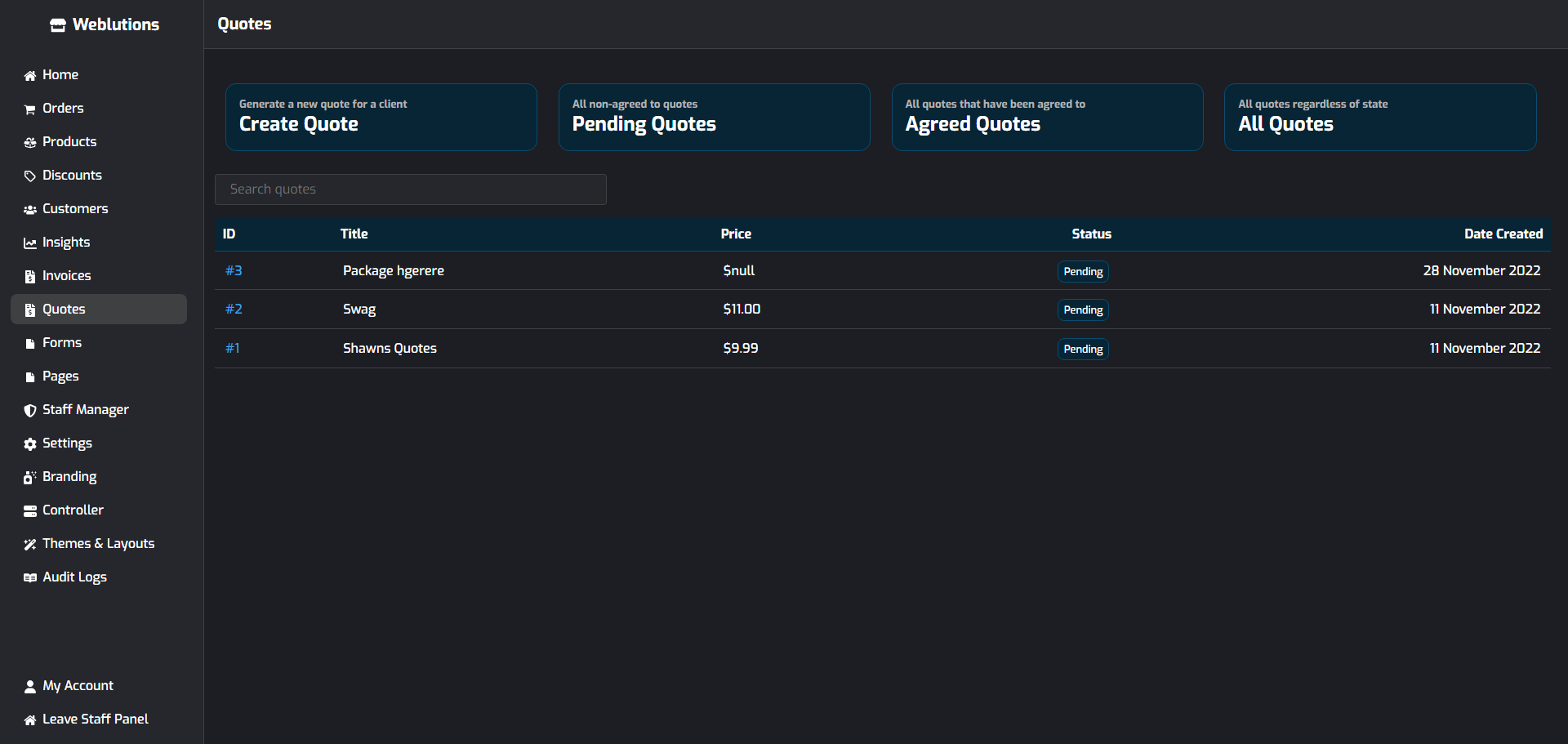
The staff quote screen includes a table that displays all quotes created for the store. From the table, staff can view existing quotes at any time. This makes it easy to track suggested prices, check quote details, and review whether a quote has been agreed to.
Agreed Quotes
When a customer agrees to a quote, their information is stored and associated with that quote.
Once a quote has been agreed to, access becomes restricted. Only staff members and the customer who agreed to the quote can view it.
This helps keep quote details private while still giving staff a record of the customer’s agreement.