 Product Documentation
FaxUp Twilio SMS Integration
Twilio can be a great way for phone numbers to receive SMS messages from FaxUp for service outages or downtime.
Twilio has their own payments and charges for phone numbers and may incur additional fees for using their service.
Setting up Twilio Integration
Login or create an account on the Twilio console
Once logged in navigate to; Messaging > Get Set Up
Go through this page and purchase a phone number if needed to use. You can pick from a large list of numbers, we only need SMS capabilities, nothing else for FaxUp.
Once a phone number is linked on your account, on the console page you'll find credentials
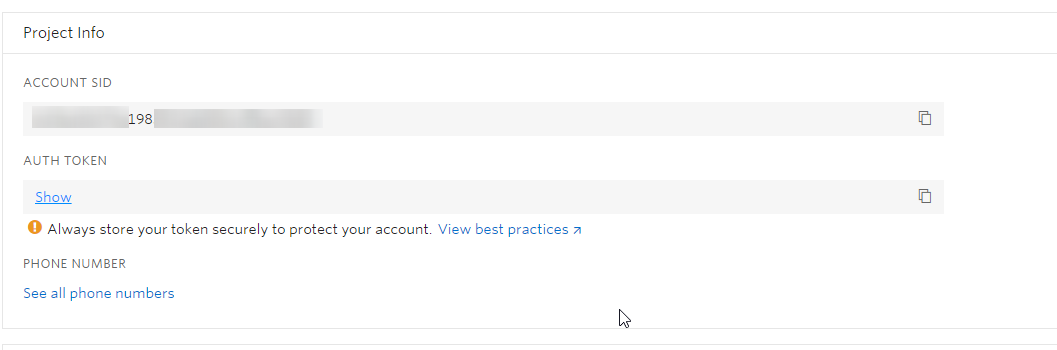
Copy and paste the phone number, account SID and authentication token into the FaxUp
config.jsonfile.Save the file and reboot FaxUp
When setting a phone number on the FaxUp staff pages to get SMS messages ensure to include the phone numbers area code including the plus (+) to make sure messages are able to send.