 Product Documentation
FaxTrack Statistics Tracking
FaxTrack comes shipped with a basic statistical tracking feature which can be used in a variety of ways, through basic additions. These fields can be custom for a basic statistic overview to be displayed in a project.
Creating a Tracked Statistic
Tracked statistics can be created via the admin dashboards within a project and allow for custom keys to be entered which are used when using the API to change or update a statistic.
Within a project data keys are shown in their own panel with the value underneath.
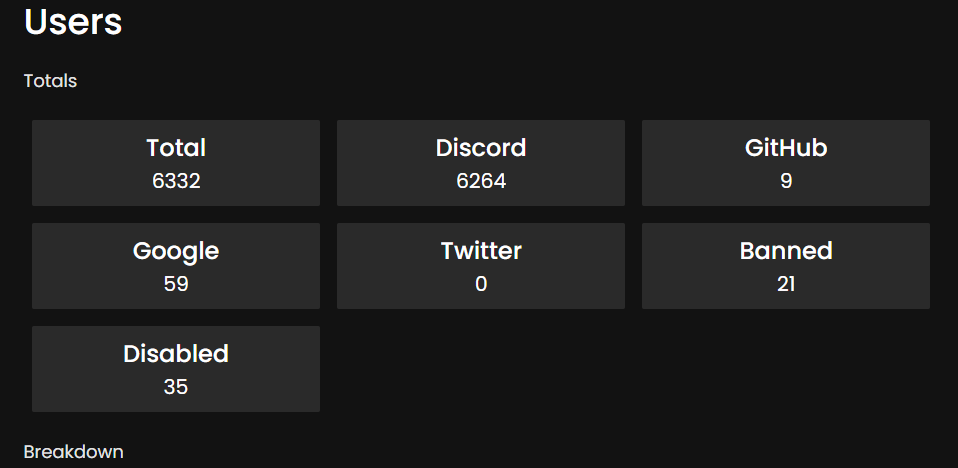
When completing our API request, ensure the Data keys are the same as those created via the staff panel. Number data sets will sum the values together, whereas string data sets will sum plus one per set.
When setting a data key name in the staff panel ensure there is no special characters in the name. Hyphens and underscores are exempt.
Statistic API
This feature comes with an API route which is documented on the FaxTrack API page. Below is a usage example in JavaScript of making a request to the statistic API.
let url = 'http://feedback.example.com/api/stat/4';

let options = {
  method: 'POST',
  headers: {authorization: '1234'},
  body: '{"title":"My Title","data":{"Earned":2,,"Host":"your.domain"},"expiresAt":"1662092459618"}'
};

fetch(url, options)
  .then(res => res.json())
  .then(json => console.log(json))
  .catch(err => console.error('error:' + err));