 Product Documentation
FaxUp SendGrid Email Integration
FaxUp comes shipped with the option to have an email system using popular API framework SendGrid and can send email for the following things:
Subscribed users getting notified when incidents are created or updated by an administrator
Administrators and staff accounts have downtime emails sent when a service goes offline or if affected
Setting Up SendGrid Email Integration
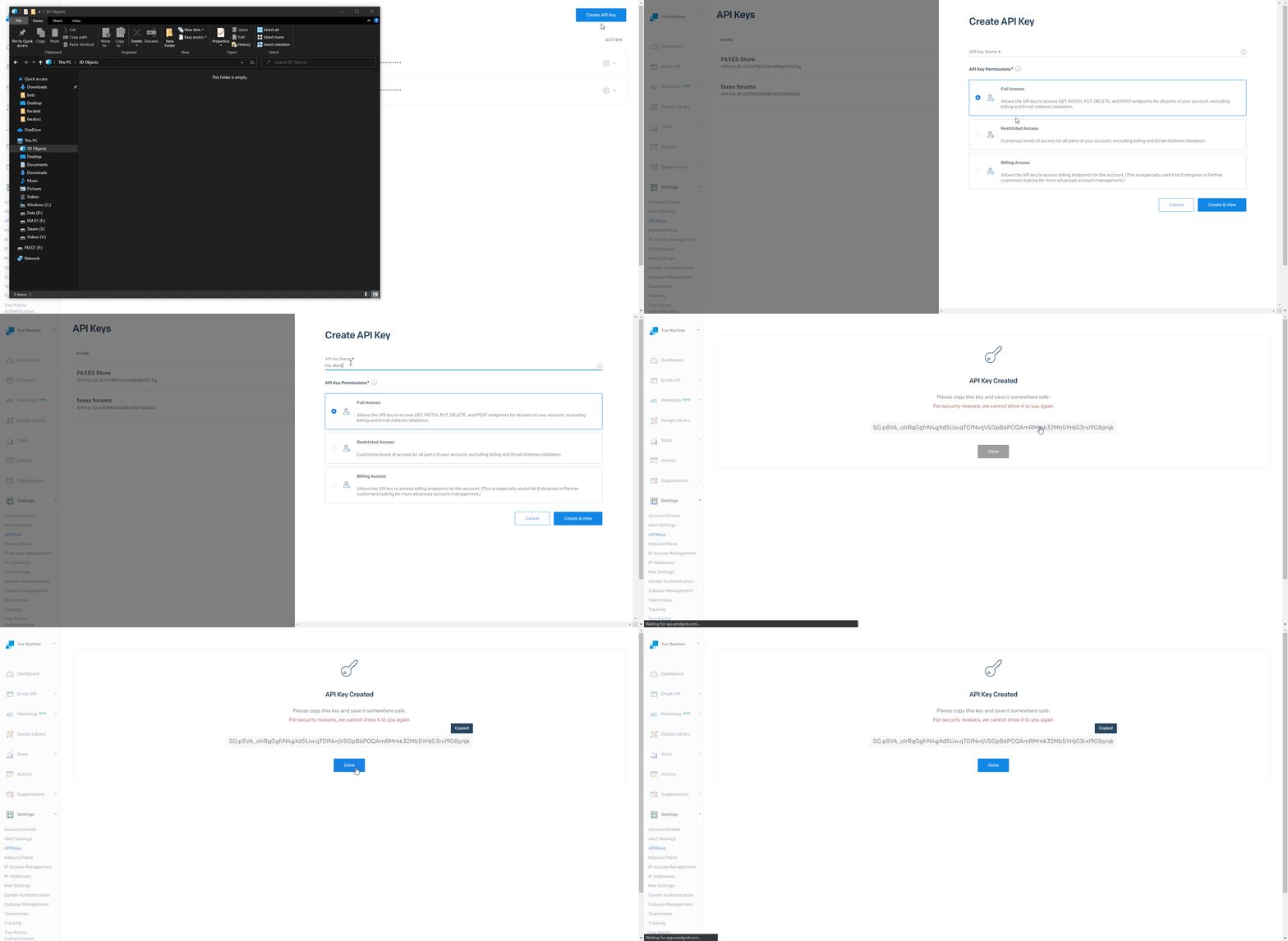
Create an account on the SendGrid API website or login to an existing account. Once there navigate to te API Keys tab on the left-hand sidebar.
In order to send email or get an API key you may need to authenticate a domain to the account. A prompt should appear for this if needed.
Create a new API key and give it a relevant name
Copy the key and save it temporarily as it won't be displayed again
Please the key into FaxUp's
config.jsonfile by placing it as the value forsendGridTokenSave the file and reboot FaxUp