 Knowledgebase
How to Access a Ubuntu Server
New to Ubuntu and Linux? Not sure how to access your server to install one of our products? This is the perfect guide for you, here we'll recommend programs to use to access Ubuntu or most Linux based servers.
Recommended Programs
Seeming Ubuntu servers run in a terminal form and have no GUI we'll need a terminal application to do this. You can use CMD Prompt on Windows. However, for easy use we recommend Termius.
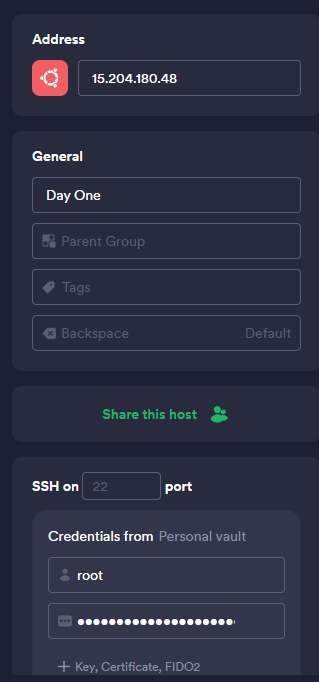
When saving a new server on Termius the interface would appear like the below image
Now to access files and view them in a file explorer type of application we can use WinSCP. With WinSCP we can log into the server to view, edit and create files with ease. WinSCP has saved servers and credentials and it's just like using Windows File Explorer - just on a remote server!